
 EUR(€)

Cookies inschakelen
Wat zijn cookies?
Cookies zijn korte stukjes data die naar uw computer worden gestuurd wanneer u een website bezoekt. Bij latere bezoeken worden deze data vervolgens teruggestuurd naar die website. Cookies stellen ons in staat u automatisch te herkennen wanneer u onze site bezoekt, zodat we uw ervaring kunnen personaliseren en u een betere service kunnen bieden. We gebruiken cookies (en vergelijkbare browserdata, zoals Flash-cookies) ook voor fraudepreventie en andere doeleinden. Als uw webbrowser is ingesteld om cookies van onze website te weigeren, kunt u geen aankoop voltooien of gebruikmaken van bepaalde functies van onze website, zoals het opslaan van artikelen in uw winkelwagen of het ontvangen van gepersonaliseerde aanbevelingen. Daarom raden we u ten zeerste aan om uw webbrowser zo te configureren dat cookies van onze website worden geaccepteerd.
Cookies inschakelen
Internet Explorer 7.x
-
Start Internet Explorer
-
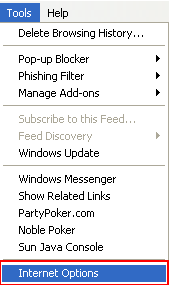
Under the Tools menu, click Internet Options
-
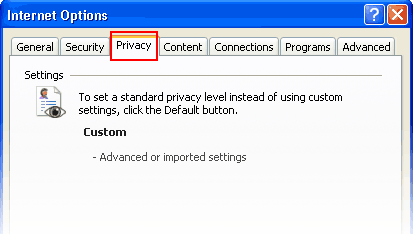
Click the Privacy tab
-
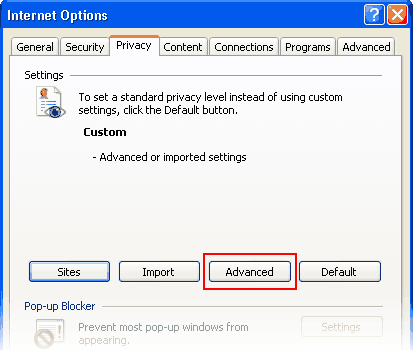
Click the Advanced button
-
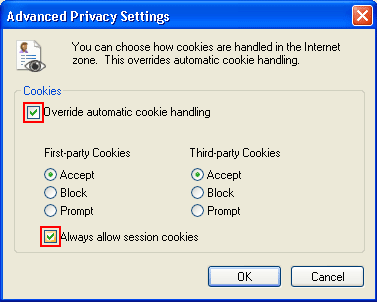
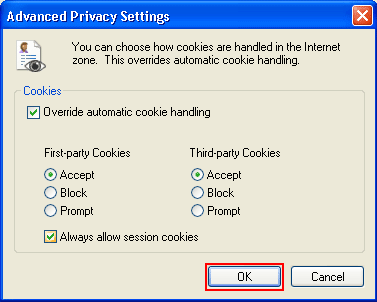
Put a check mark in the box for Override Automatic Cookie Handling, put another check mark in the Always accept session cookies box
-
Click OK
-
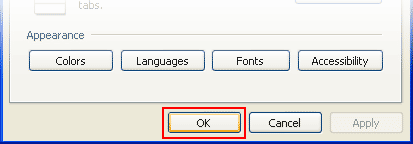
Click OK
-
Restart Internet Explore
Internet Explorer 6.x
-
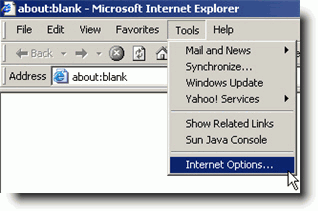
Select Internet Options from the Tools menu
-
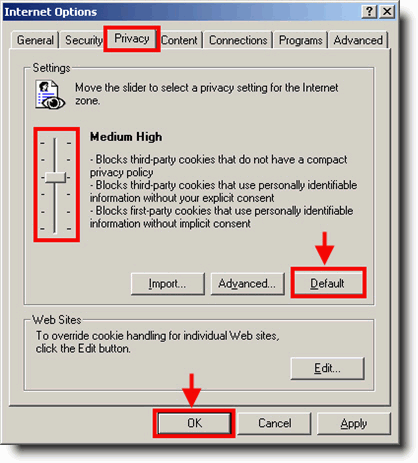
Click on the Privacy tab
-
Click the Default button (or manually slide the bar down to Medium) under Settings. Click OK
Mozilla/Firefox
-
Click on the Tools-menu in Mozilla
-
Click on the Options... item in the menu - a new window open
-
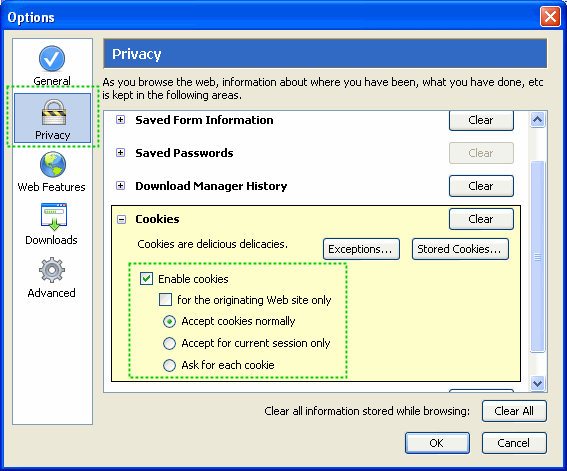
Click on the Privacy selection in the left part of the window. (See image below)
-
Expand the Cookies section
-
Check the Enable cookies and Accept cookies normally checkboxes
-
Save changes by clicking Ok.
Opera 7.x
-
Click on the Tools menu in Opera
-
Click on the Preferences... item in the menu - a new window open
-
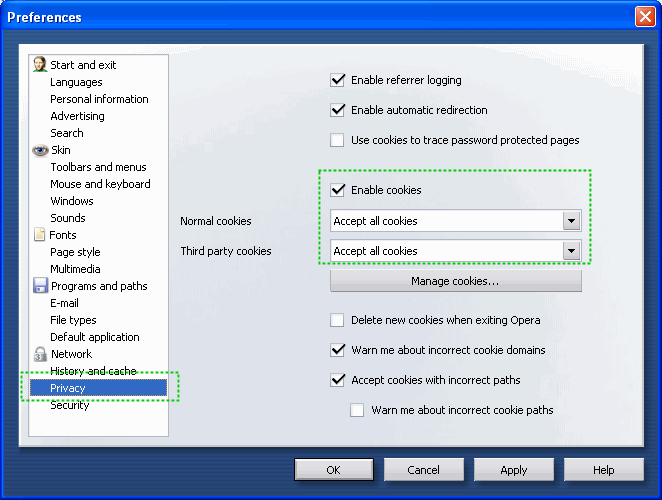
Click on the Privacy selection near the bottom left of the window. (See image below)
-
The Enable cookies checkbox must be checked, and Accept all cookies should be selected in the "Normal cookies" drop-down
-
Save changes by clicking Ok


